
How to map the Neware aux testing channels?
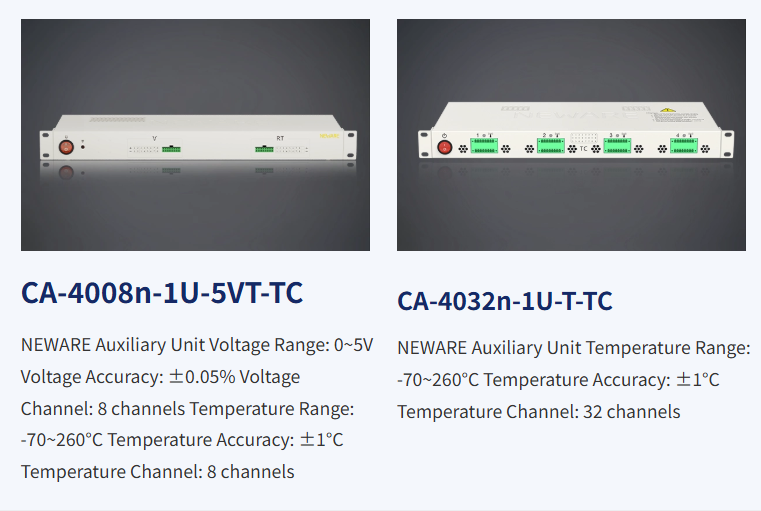
This is the latest version of the Neware aux channel; other older versions are still mapped here. The mapping method and location remain largely unchanged.
The below tutorial will guide you how to map Neware aux testing channles in software.
Open the Set-Mapping window, you can find the blue battery symbol if you have aux channels. (The blue means the aux channel can be mapped. You can not do the aux channel mapping if the aux channels’ color shows grey. )
Click link for “Neware BTS4000 Set up” to learn about how to open the Set-Mapping window.
Below is the Set-Mapping window information:
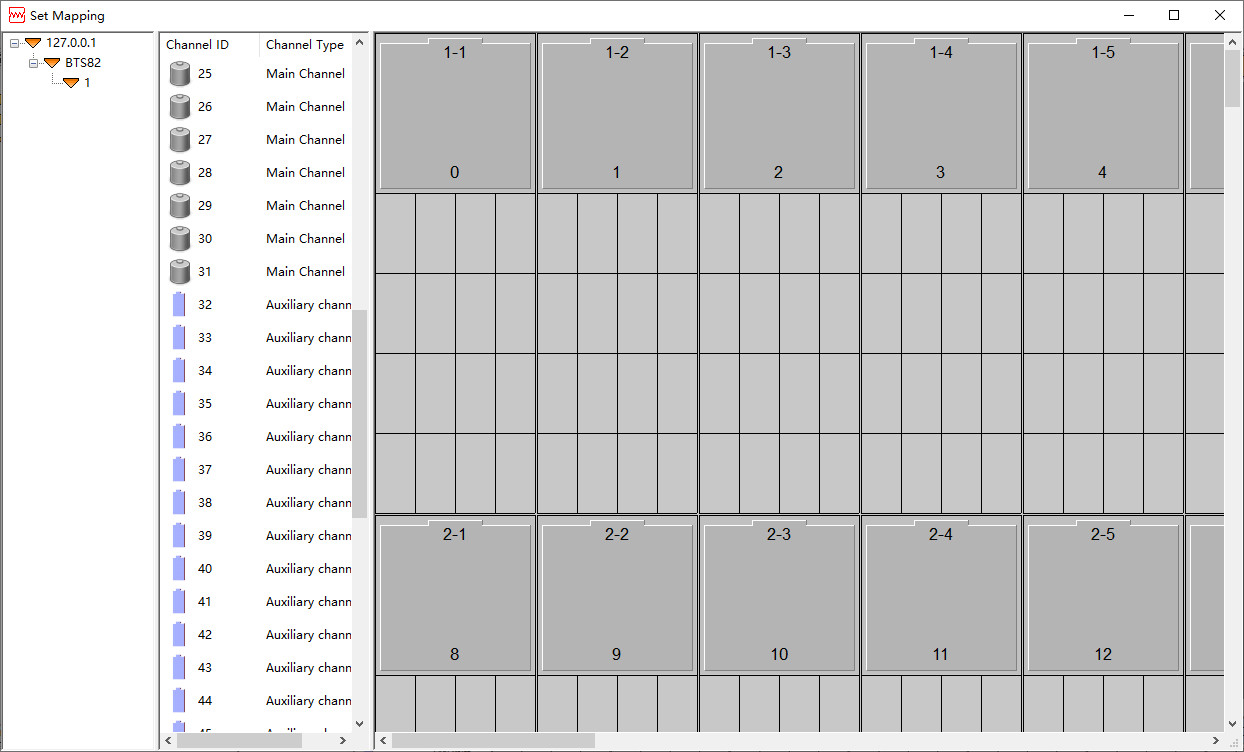
Here are two way to mapping the aux channels.
1. Average Mapping.
It means the aux channels will be average mapped.
ex. if you have 8 main channels and 8 aux channels, you can have each main channel has one aux channel if you choose the average mapping.
Right-click, Aux CH default mapping, Average mapping, and Save mapping.
Remember to save the mapping.
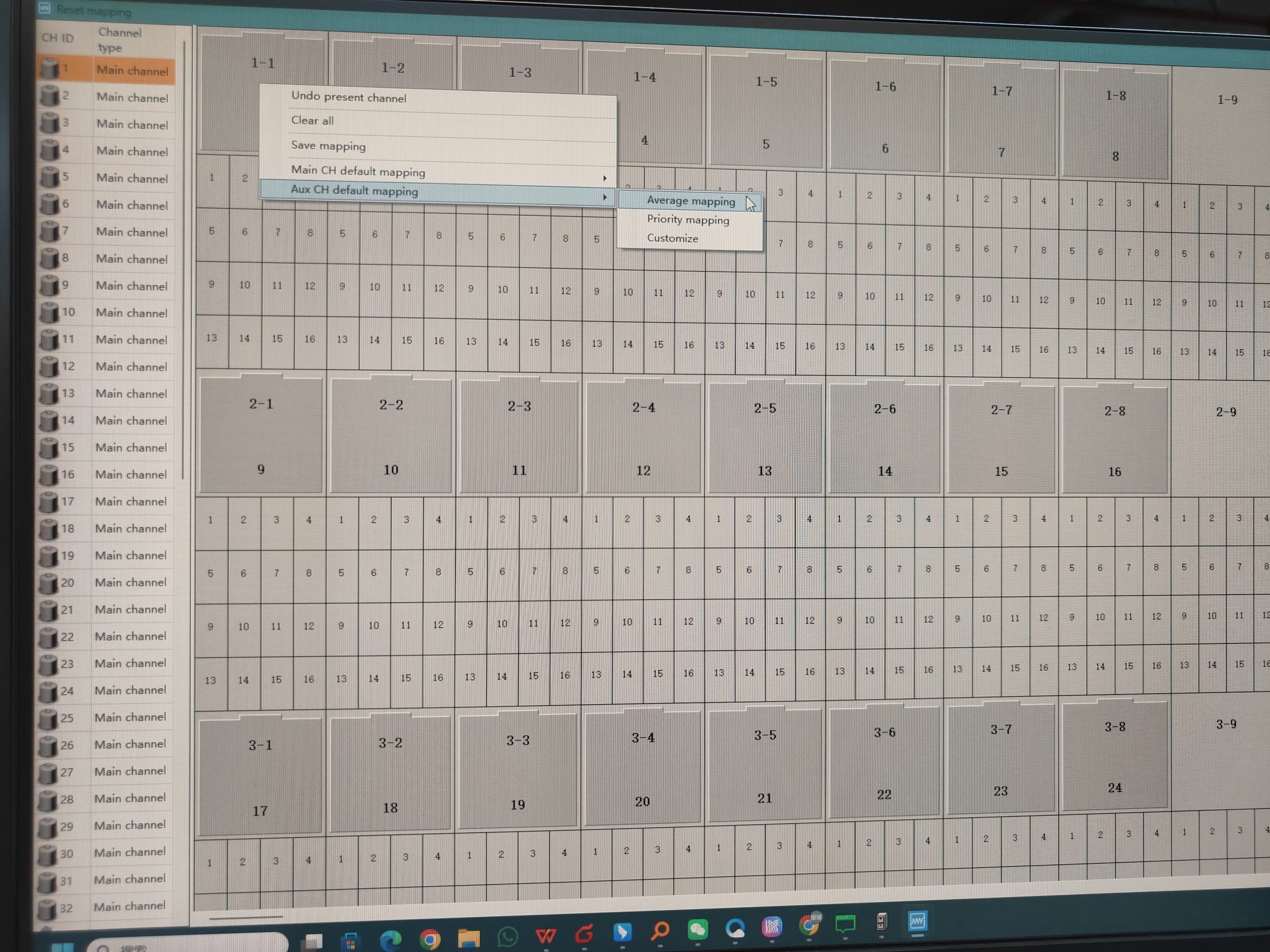
2. Priority Mapping
It means all aux channels will be mapping in first main channel.
Right-click, Aux CH default mapping, Priority mapping, and Save mapping.
Remember to save the mapping.
3. Customize
Additionally, you can drag the aux channel symbol to the main channel to come ture the different aux mapping as you want.
ex. You want to channel 1 has one aux channel, channel 2 has two aux channels.
Still need help? Contact us