
Are you proficient in using Neware’s software? Here are 5 useful tips on C-rate, dQ/dV, DCIR, etc.
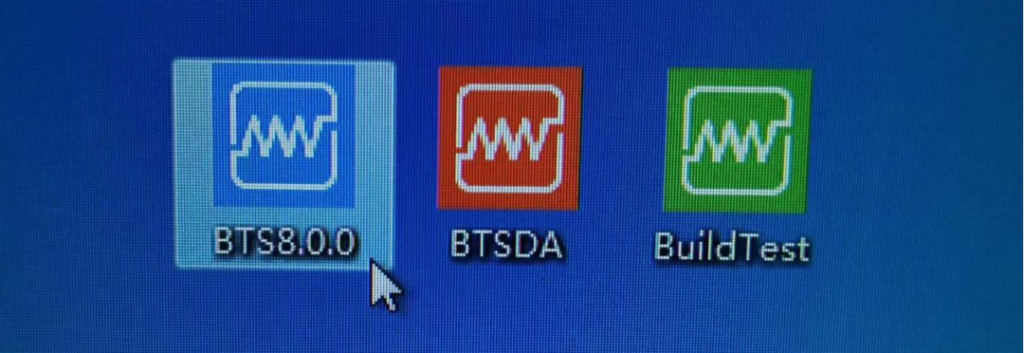
1 of 5 Useful Tips for Using NEWARE BTS
Set Language The second one is Language, Select English.
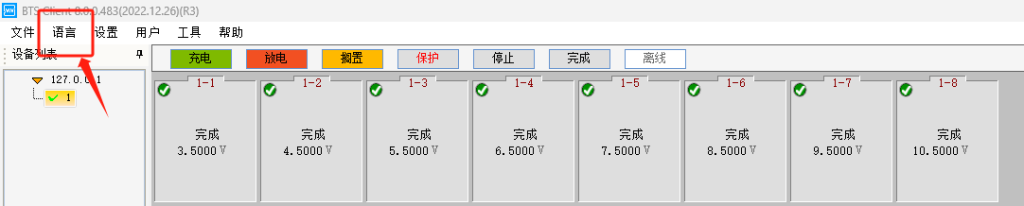
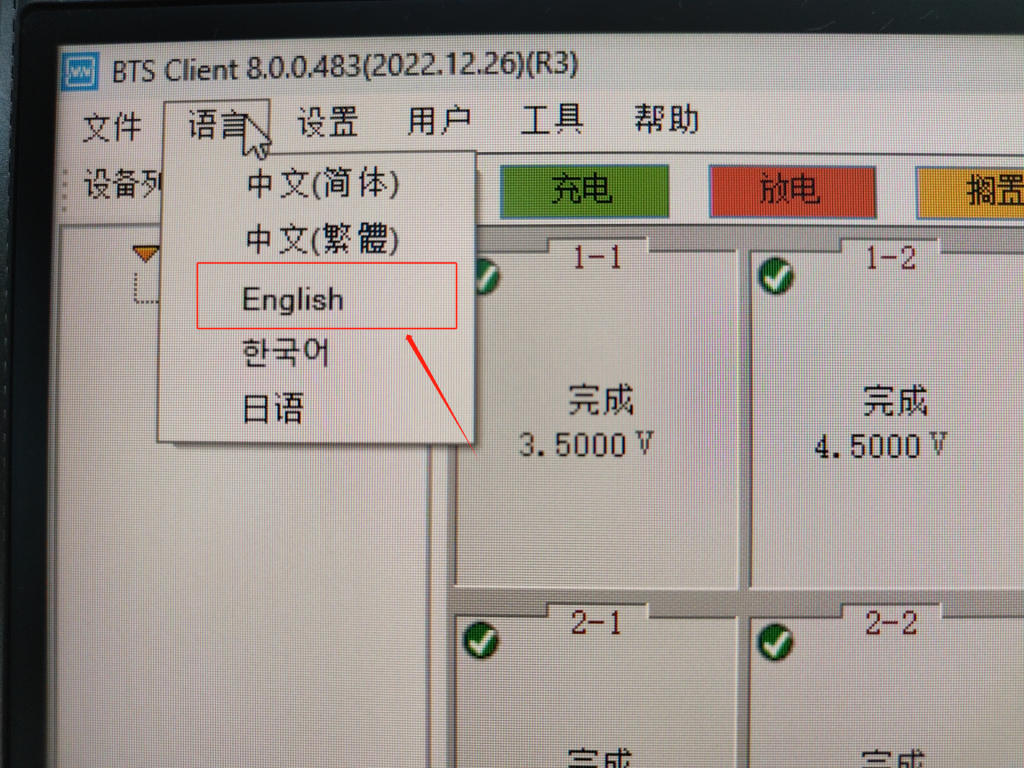
2 of 5 Useful Tips for Using NEWARE BTS
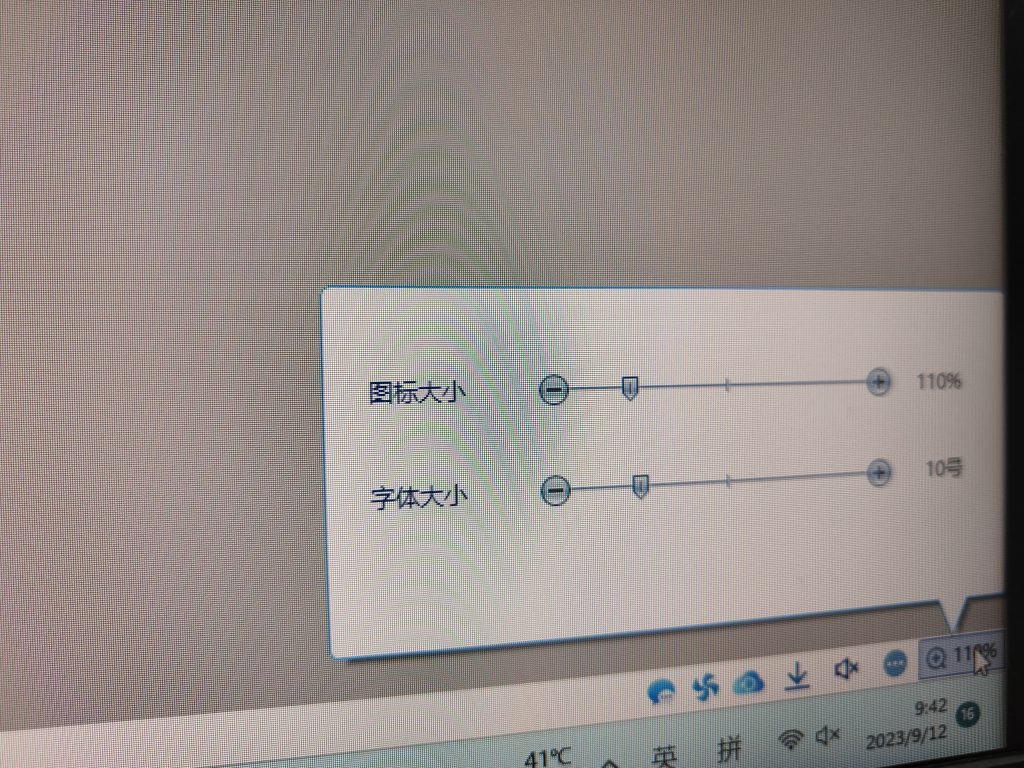
How to set Fonts size and Icon size? Lower Right Corner
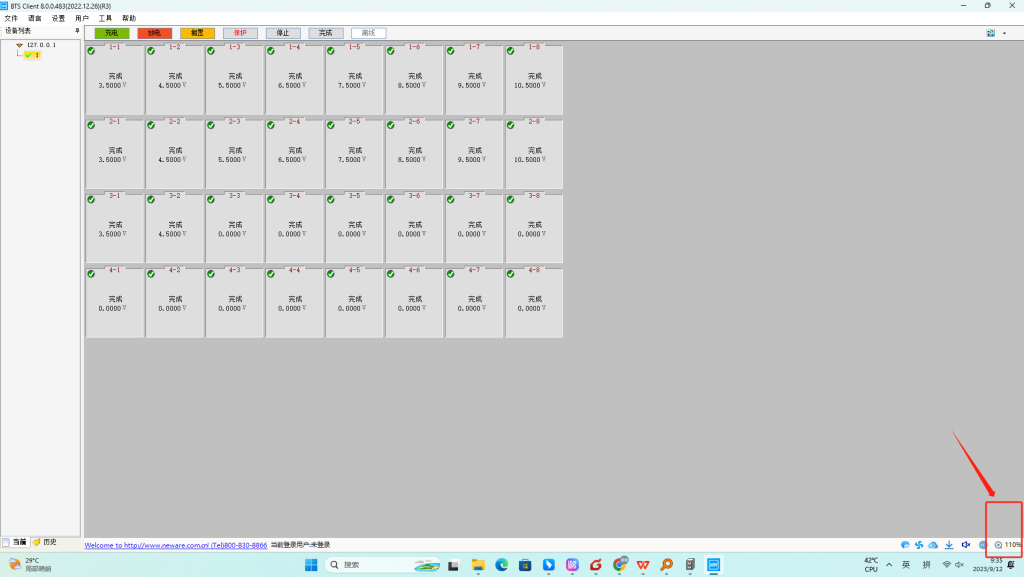
3 of 5 Useful Tips for Using NEWARE BTS
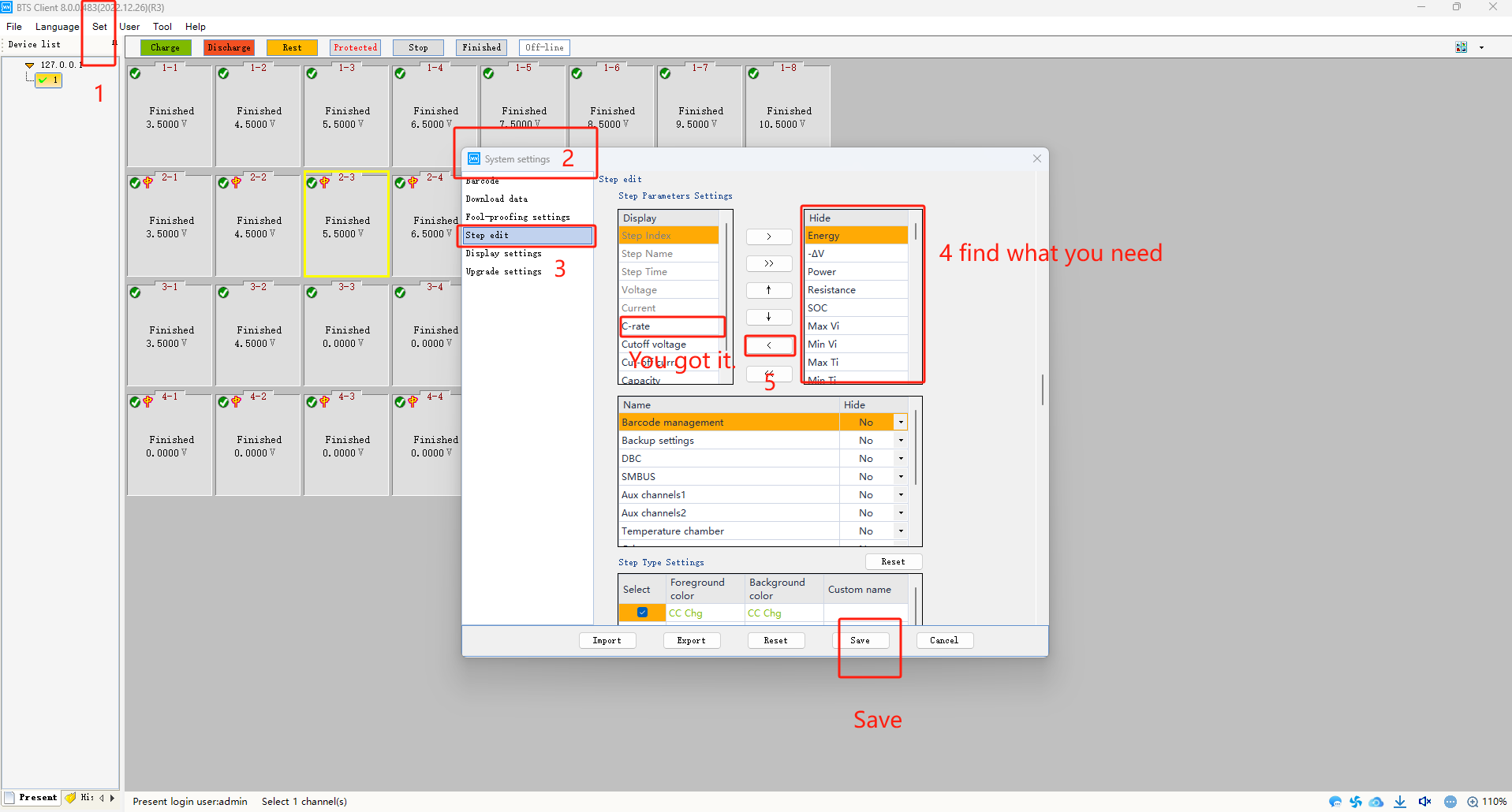
C-rate setting if you need it
“Set”——“System settings”——“Step edit”——find“C-rate” and “Cut-off C-rate” on the right——“〈”——Save In 4 zone, there are a lot of projects you can set up. Give it a try.
4 of 5 Useful Tips for Using NEWARE BTS
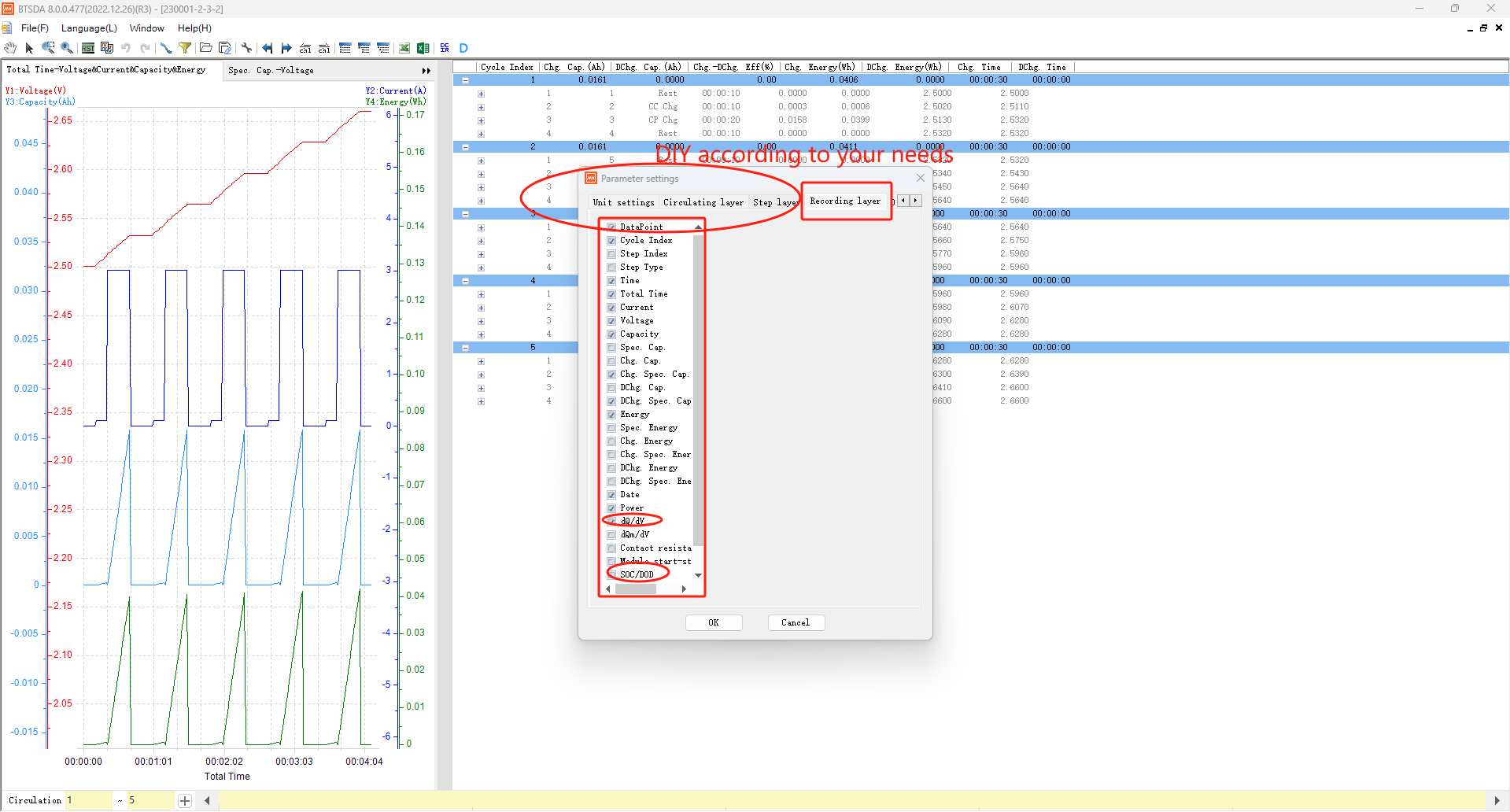
Do you need dQ/dV?
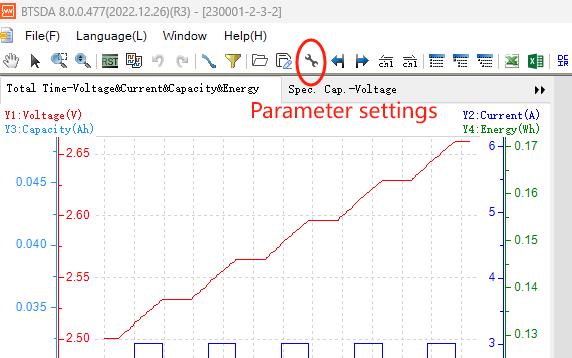
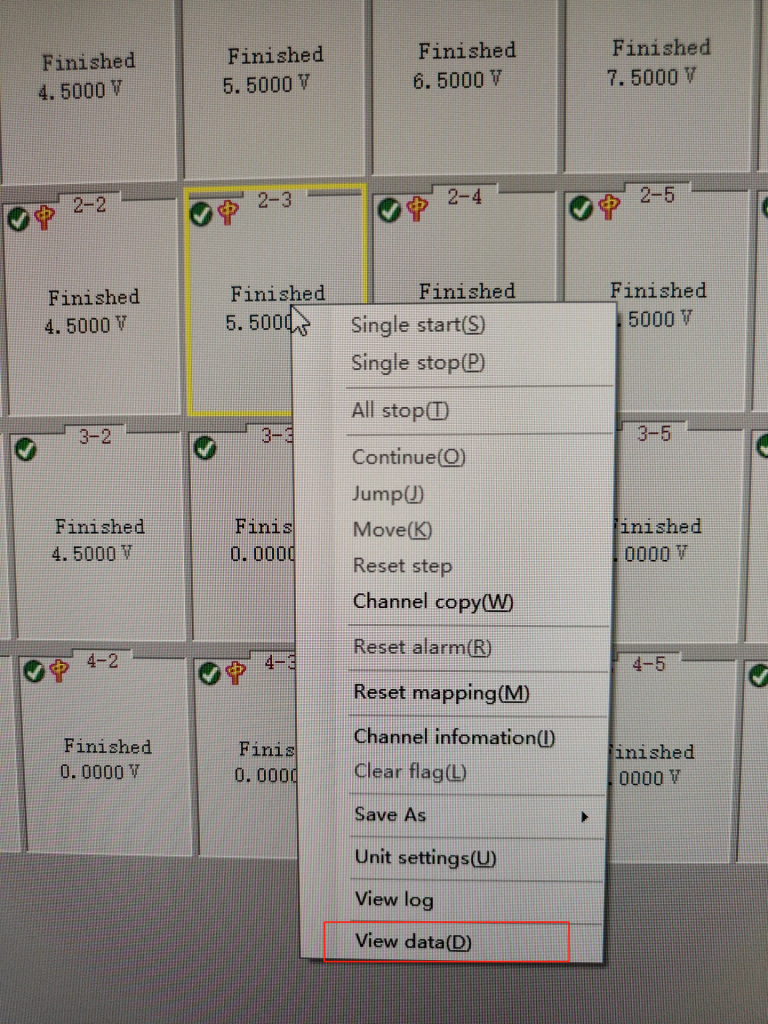
Select the channel, right-click, select the last one ” View data(D)”, find “Parameter settings” in the same place as the picture, “Recording Layer”, you will find” dQ/dV” “SOC/DOD”. There is a lot of content in our software that can be set up so that you can DIY according to your needs.
5 of 5 Useful Tips for Using NEWARE BTS
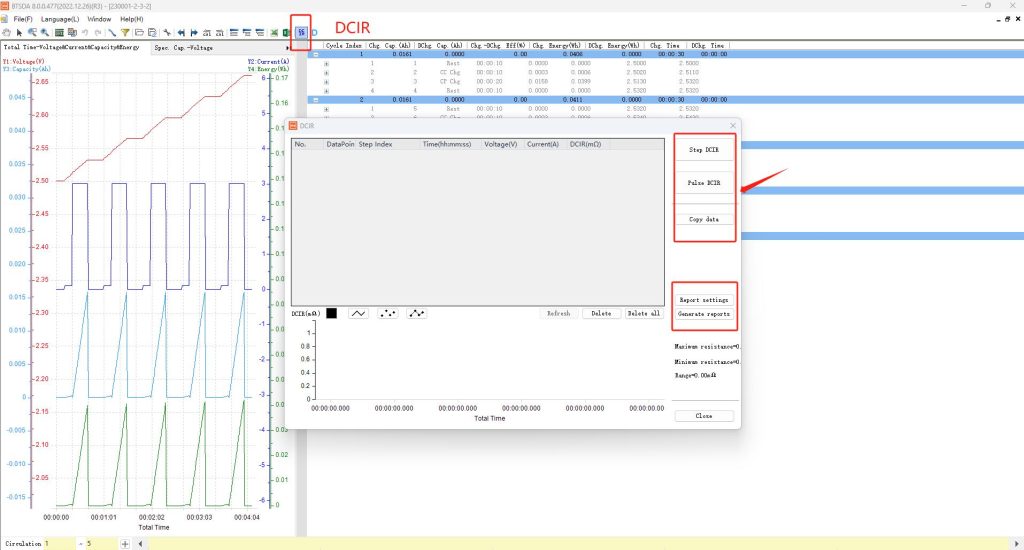
Where is DCIR? Select the channel, right-click, select the last one ” View data(D)” , find “DCIR” in the same place as the picture, “step DCIR” or “pulse DCIR”.
If you do battery research or battery materials research, you might be interested in these: Neware battery cyclers