
BTS 8.0 Advance Operation
The multi-channel customized report feature enables you to export individual channel data from selected channels through a single interface. It supports various file formats, including Excel and CSV, and offers additional customization options to meet your needs.
1. Add the [multi-channel customize report] to right-click menu function

Under 【Set】, select 【System settings】.
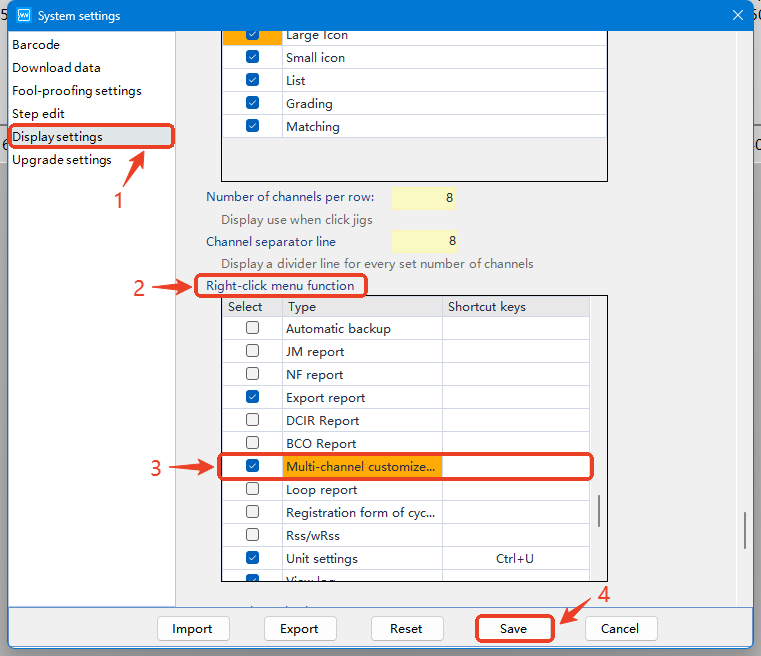
Go to 【Display settings】, find the 【Right-click menu function】, and add the option of 【Multi-channel customize report】.
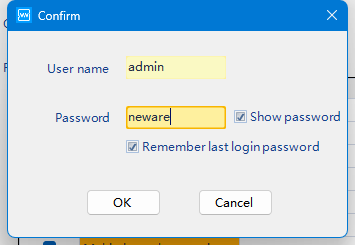
Type in user name and password to confirm.
User name: admin
Password: neware
2. Data export
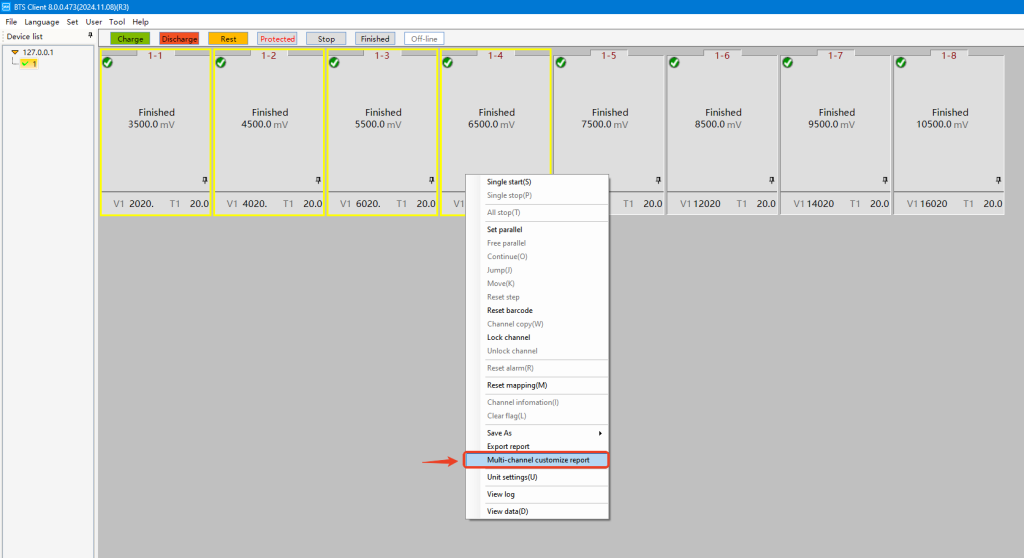
Select the channels from which you want to export data.
Right-click and select 【Muti-channel customize report】.
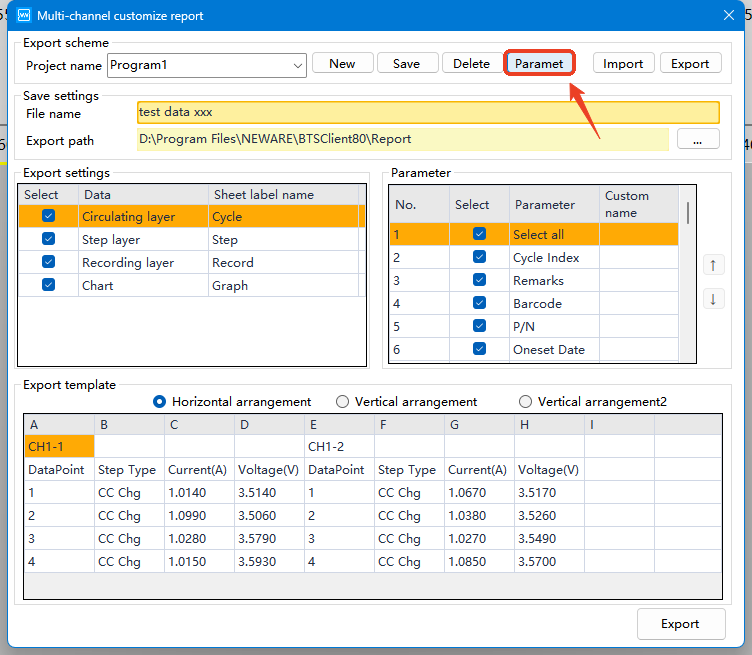
You’ll find more advanced customization options under 【Paramet】.
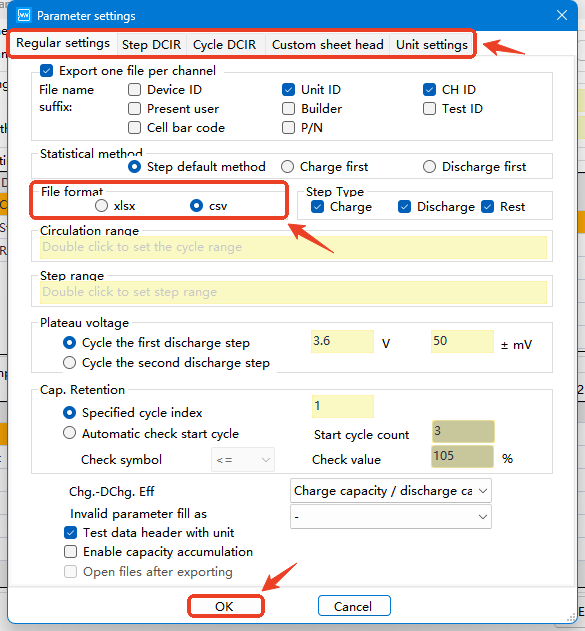
Browse through the options and apply your customized changes.
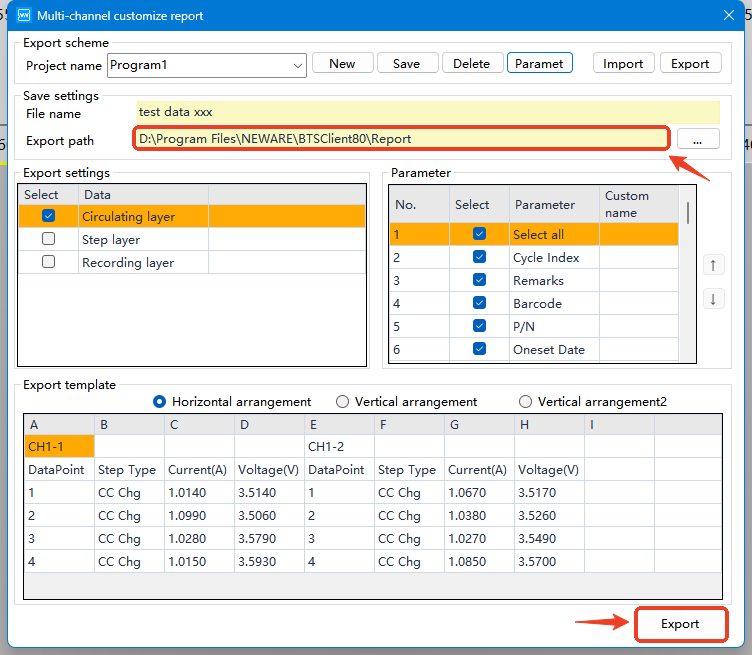
Modify the export path and proceed with the export.