
How to set up automatic backup in Neware software? Here is Neware Battery Cycler BTS Client 80 Automatic Backup Setting.

1. Open BTS Client—-Set—- System Settings
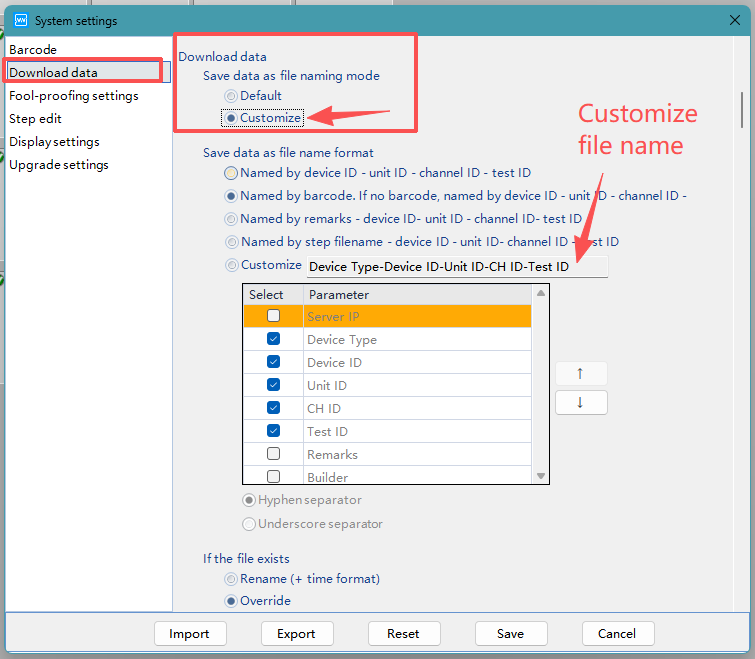
2. Download data—-Customize—-Customize file name
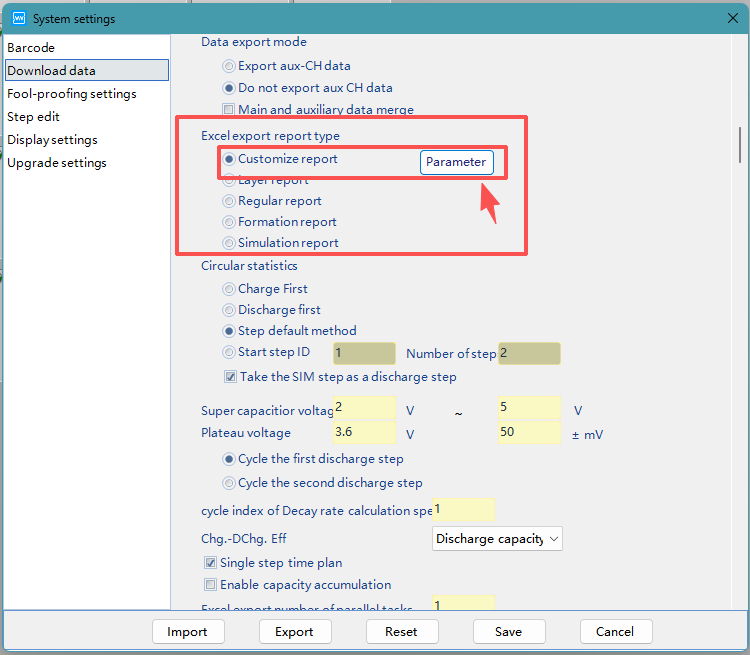
3. Customize file format
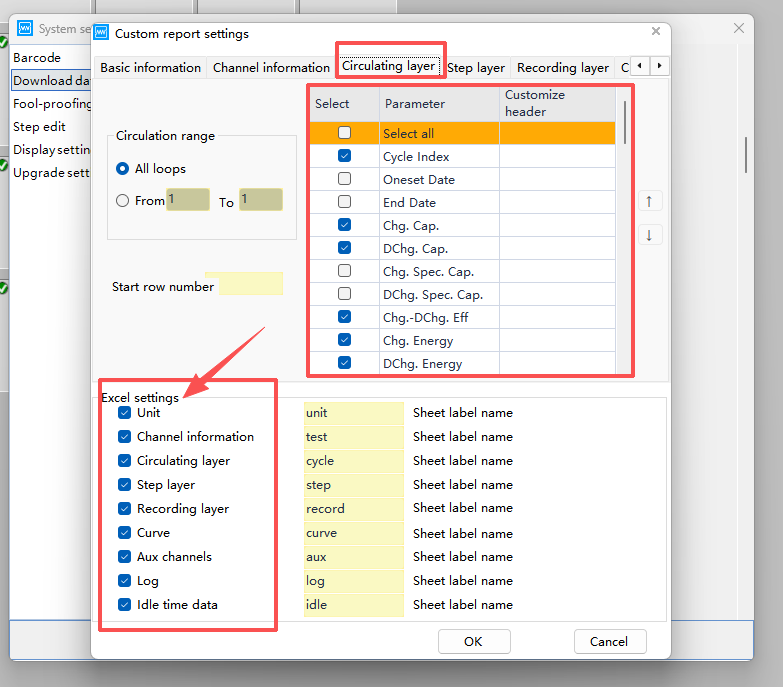
4. Customize Excel settings
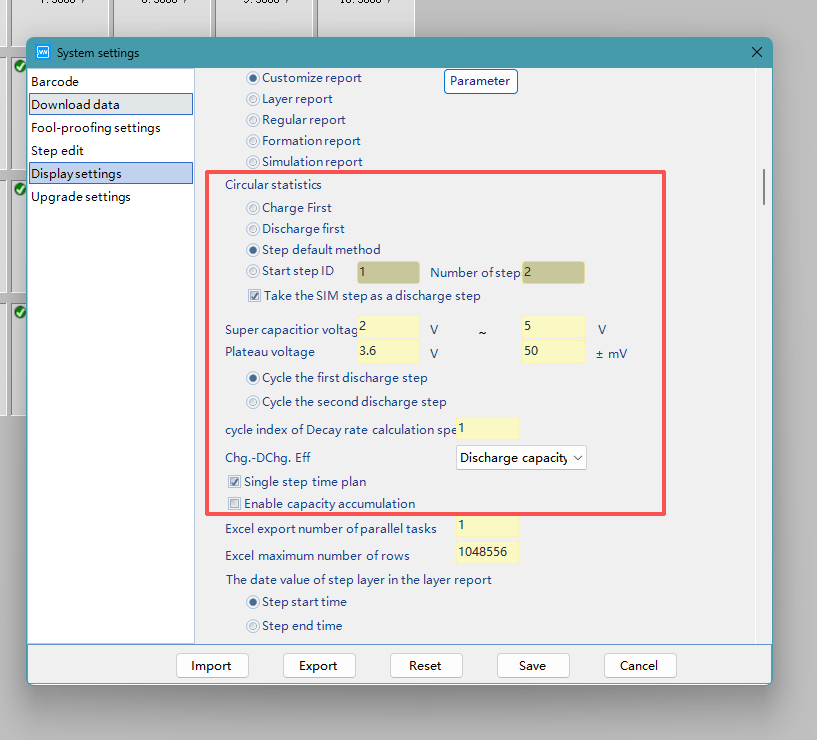
5. Modify circular statistic method, Charge/discharge efficiency, platform voltage, or keep default setting
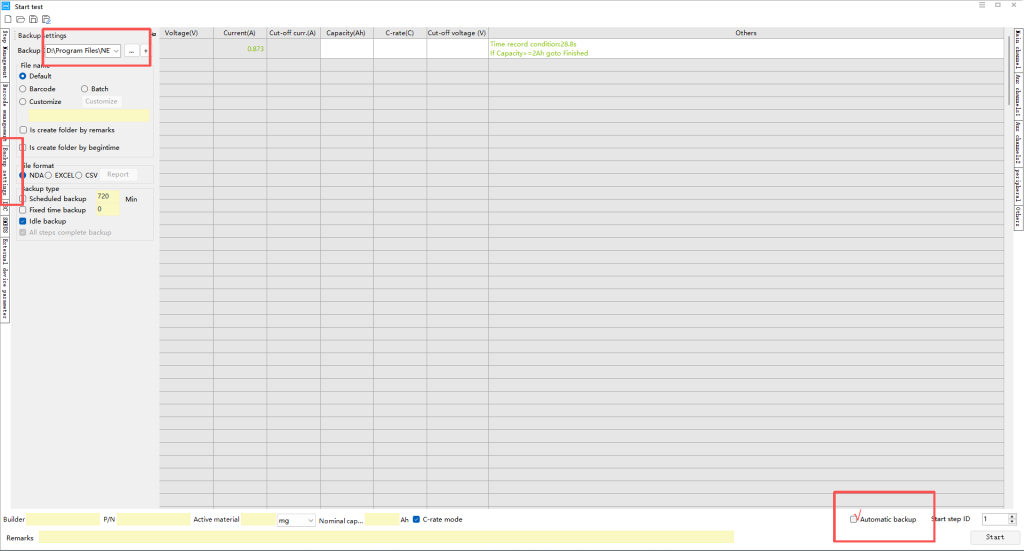
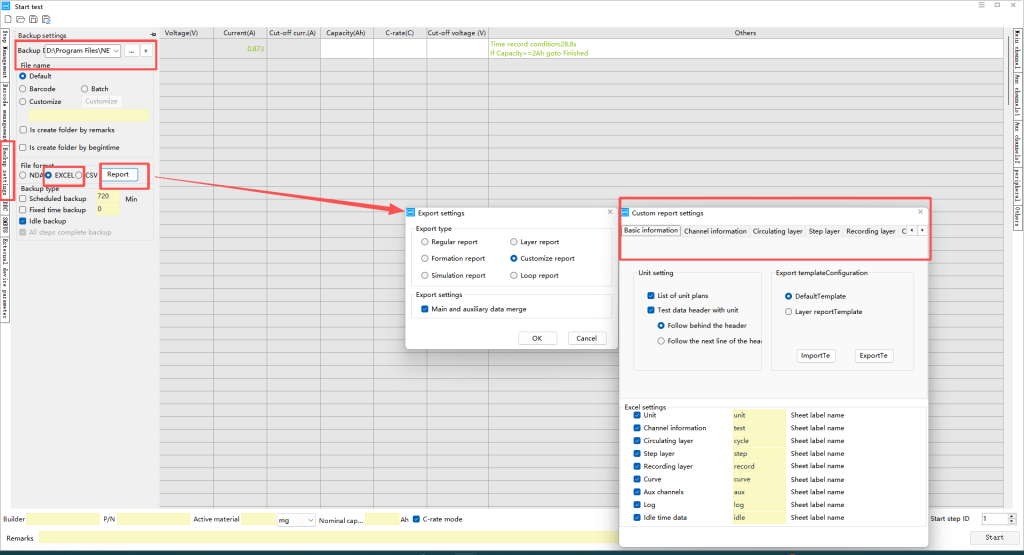
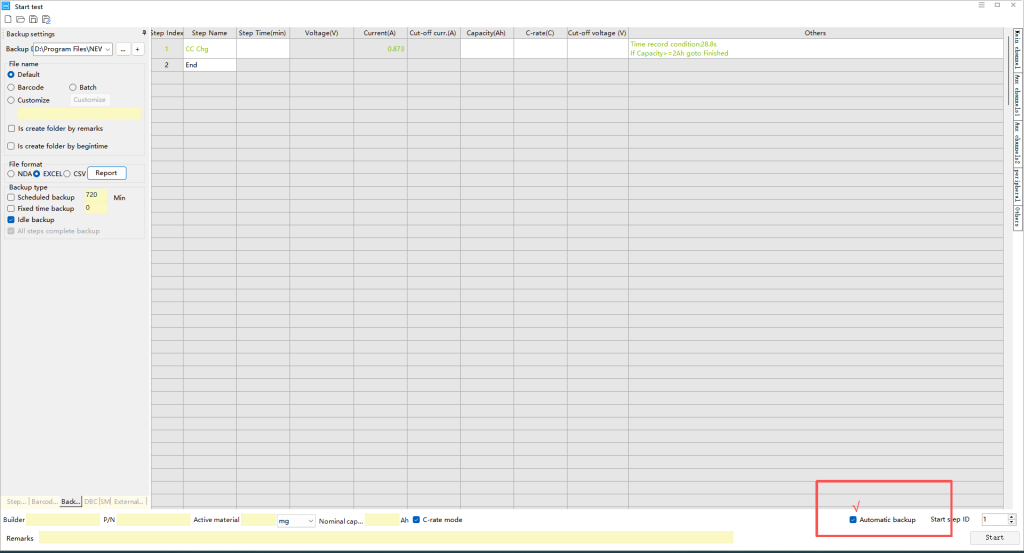
6. Start test page—-√ Automatic backup, modify backup file location and excel data format
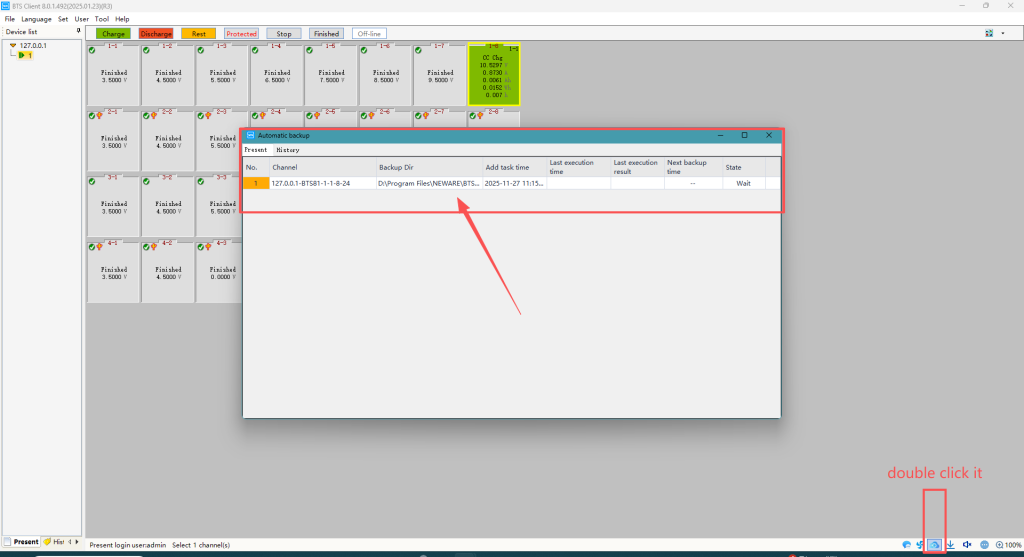
7.Find the cloud icon, check backup program

8.If you want change backup program during test, modify is available
Maybe you will be interested in these:
Coin Cells: From Electrode Preparation to Performance Testing (1) (2) (3)
4 formulas for calculating the GITT diffusion coefficient
5-Minute Guide to Neware Battery Testing System Charge/Discharge Steps