How to parallel test channels?
When using the Neware battery testing system, how can I determine whether my equipment supports channel paralleling, and how do I parallel the channels?
Function of paralleling channels: to achieve higher current. For example, paralleling two 5V 100A test channels to obtain a total current of 200A.
How to check if your device supports channel paralleling? Our product specification sheets clearly state whether channel paralleling is supported, as shown in the datasheet for the model below.
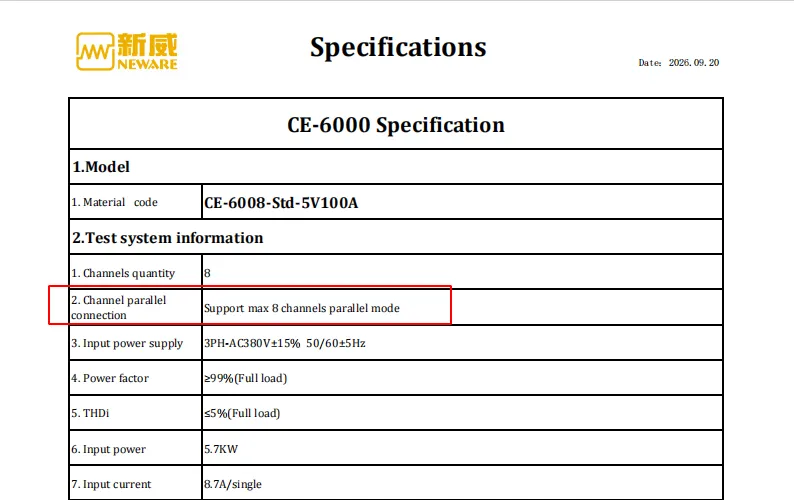
Generally, equipment with a current rating of 5V 30A and below does NOT support channel paralleling. The 6-series testers for cells, modules and packs all support channel paralleling. Please refer to the product datasheet or check with your sales representative for details.
Note:
Only channels within the same Middle control unit can be paralleled. Cross-Middle-control-unit paralleling is not allowed.
Neware supports a maximum of 8 channels in parallel. After paralleling, the total current equals the sum of the rated current of each individual channel.
⚠️ Pulse, HPPC and other dynamic pulse tests are NOT available under parallel mode. Only standard CC/CV and cycling charge-discharge tests are supported.
Please consult your sales representative with your specific equipment model.
Software Setup:
After confirming that your device supports channel paralleling, please follow these steps:
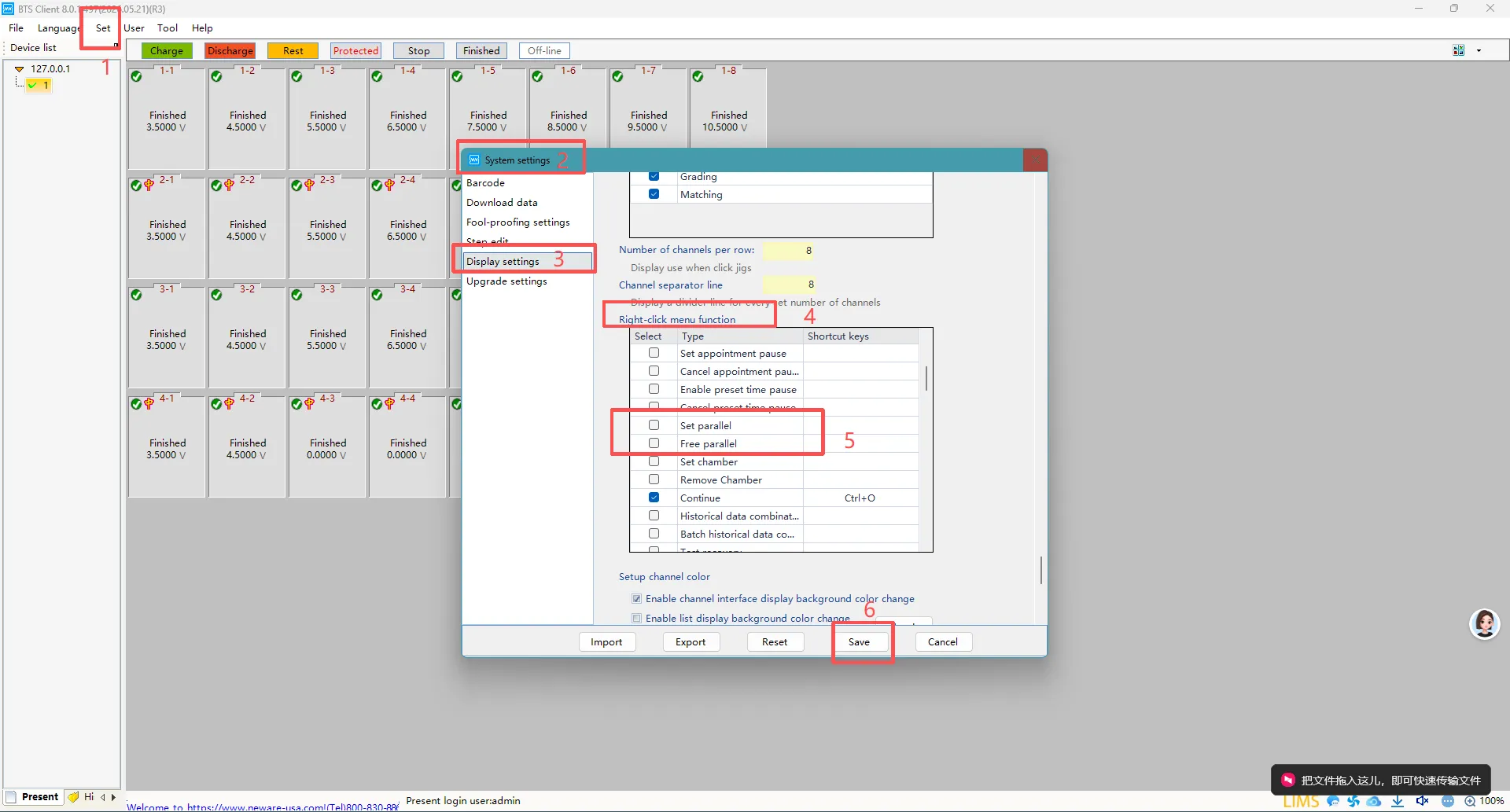
Click Set, select System settings, then click Display settings. Scroll down to locate Right-click menu function. Within this option, find Set parallel and Free parallel, check both boxes, and save the settings.
Click Set > System settings > Display settings. Scroll down to Right-click menu function. Tick Set parallel and Free parallel, then save.
Bring the channels you intend to parallel to the Finished status.
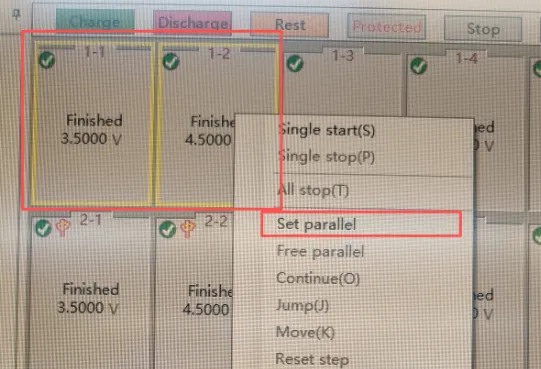
Then select these two or more channels, right-click to open the menu, and choose Set parallel.
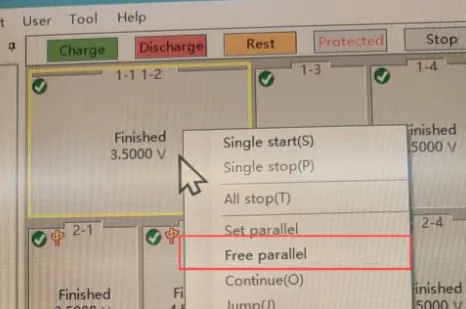
When you no longer need the channels to be paralleled, select the paralleled group, right-click to open the menu, and select Free parallel.
Then you can set up the test steps.
Hardware Connection:
All positive power leads of paralleled channels are connected together; all negative power leads are connected together. All sense wires are paralleled and connected to the main channel for voltage sampling.