
Neware BTS 8.0: How to add the export report option to the right-click menu?
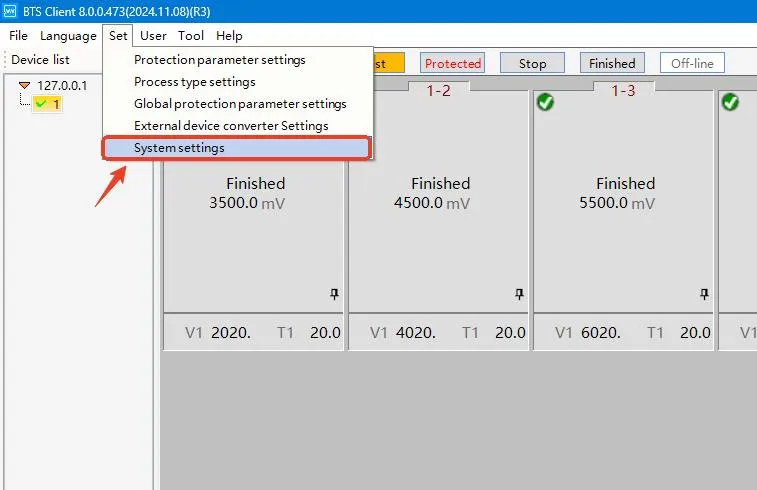
Click Set on the top menu bar, then select System Settings.
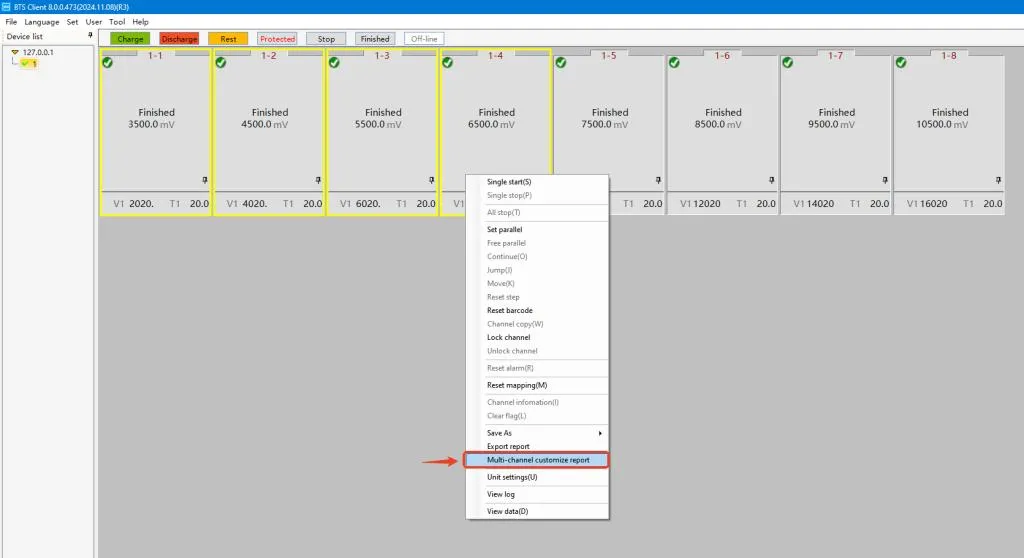
Go to Display Settings, locate the Right-click menu function section, check the box for Export report or Multi-channel customize report.
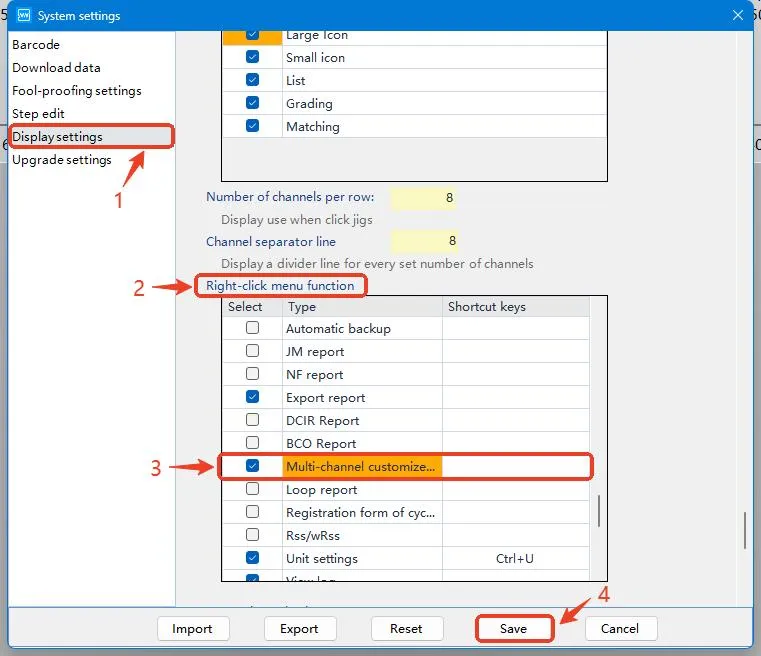
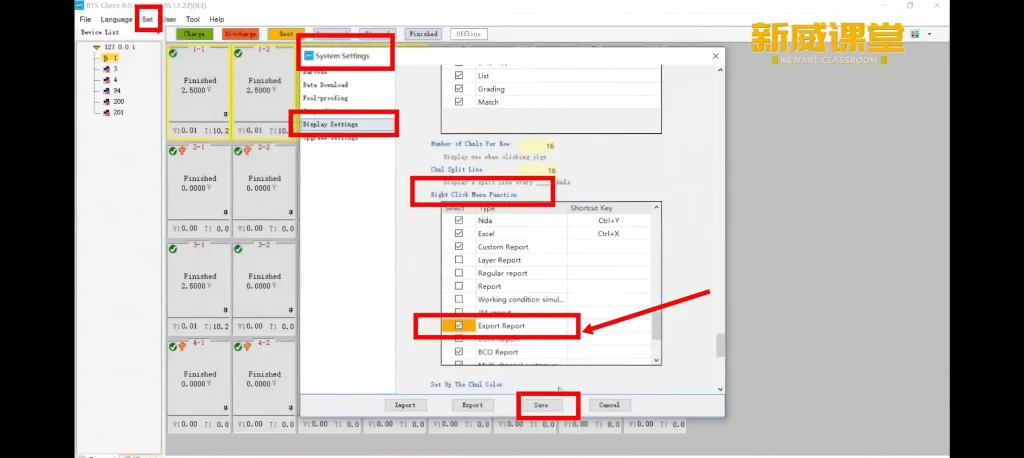
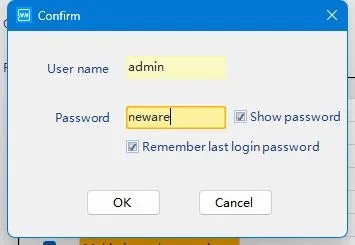
Click Save, then log out and log back into the software to activate the setting.
User name: admin
Password: neware
Right-click the test channel, and you will see the report export function in the pop-up menu.
You can follow the steps in this video for operation.