
Do I need to enter my username and password every time I log in to Neware BTS 8.0?
How to make Neware BTS 8.0 remember the password?
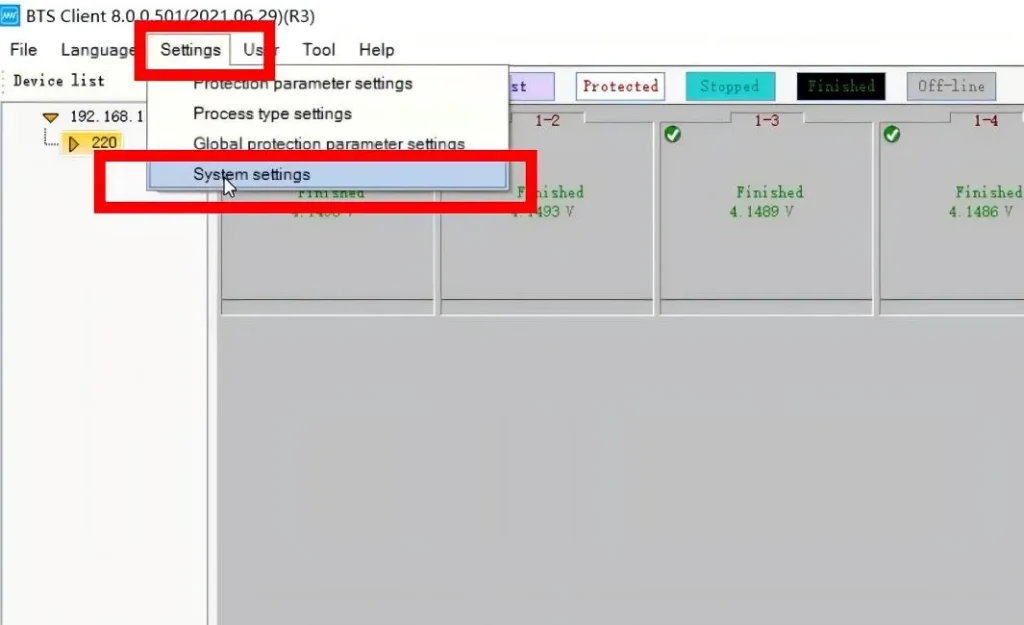
1. Settings —- System settings
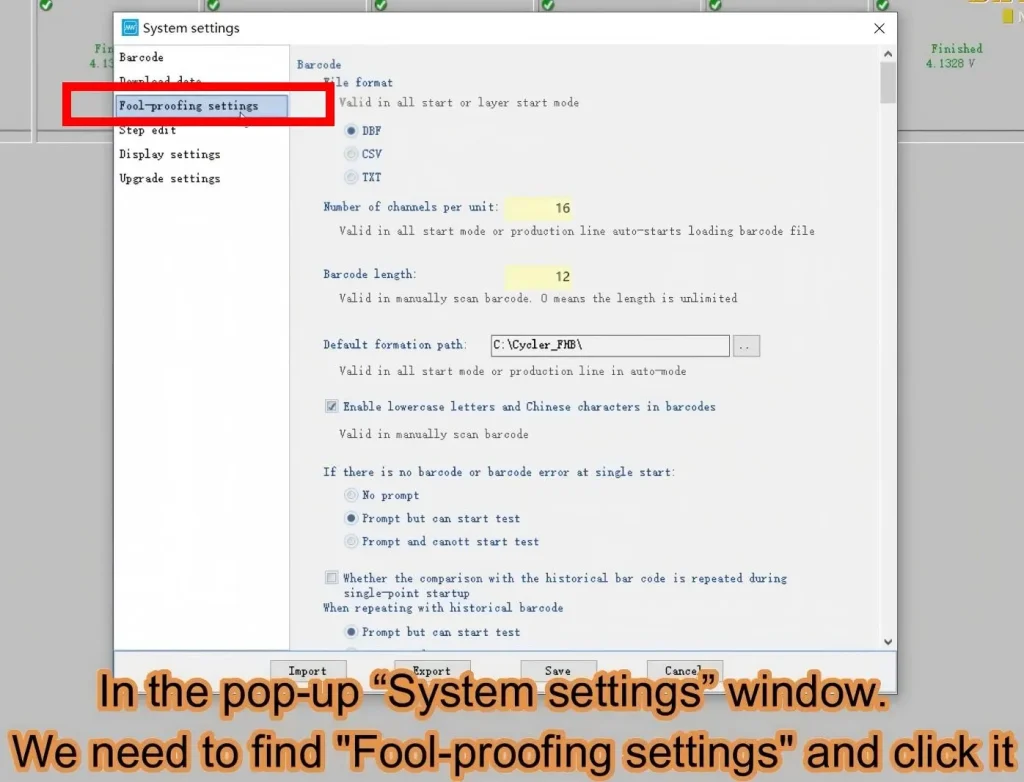
2. Fool-proofing settings
3. Scroll down with your mouse and locate **Allow remembering the last login password**
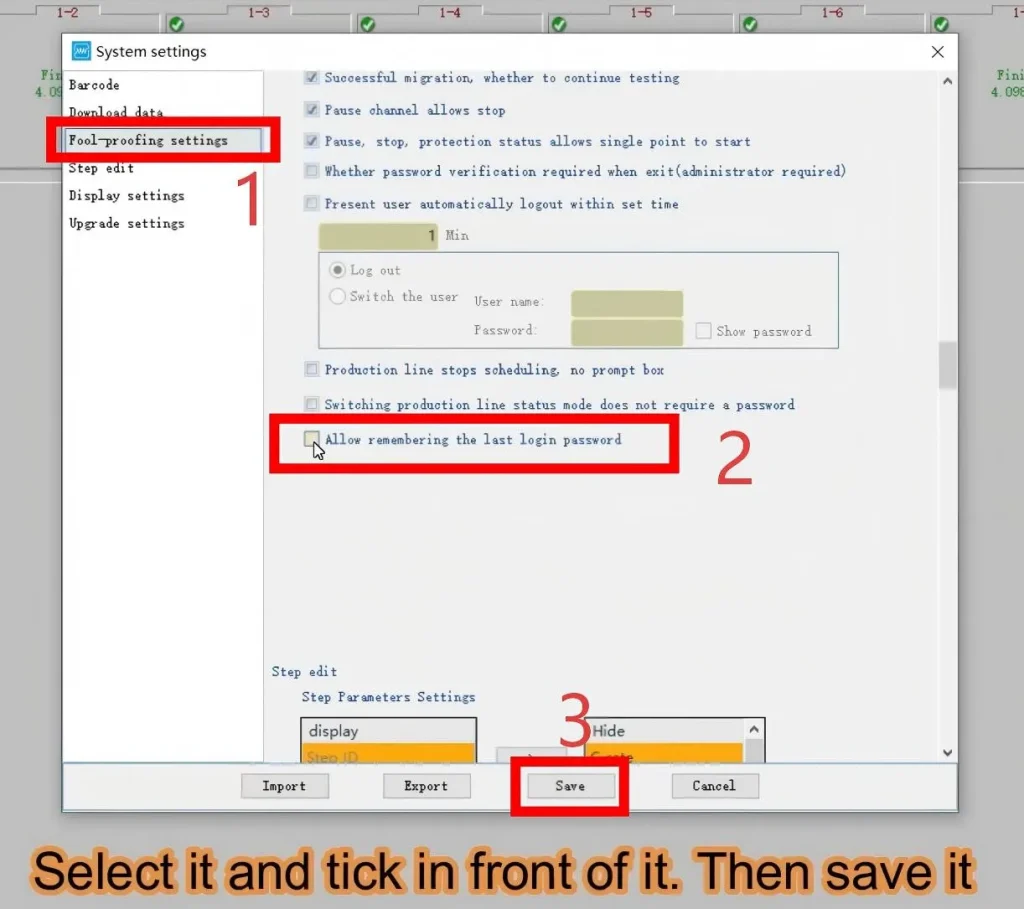
4. Save the configuration.
5. Log out of your Neware BTS 8.0 account, then log in again and enter your username and password once.
admin neware
6. Check the box for **Remember last login password**
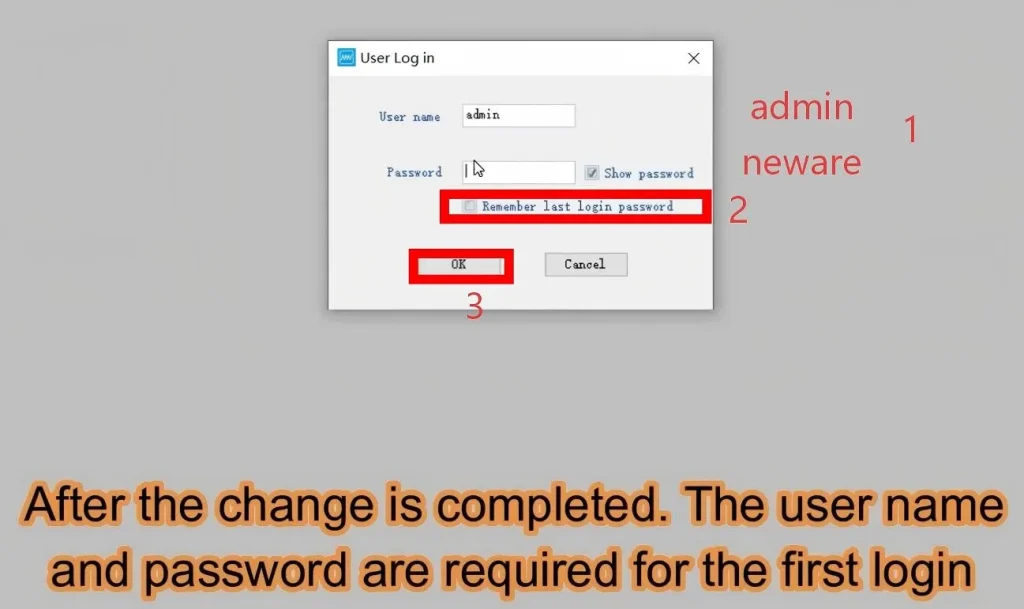
7. Setup completed. The software will remember your password for subsequent logins.
You may also follow the YouTube video to configure the settings step by step.