
Neware BTS 8.0: How to jump to the next step or a specified test step?
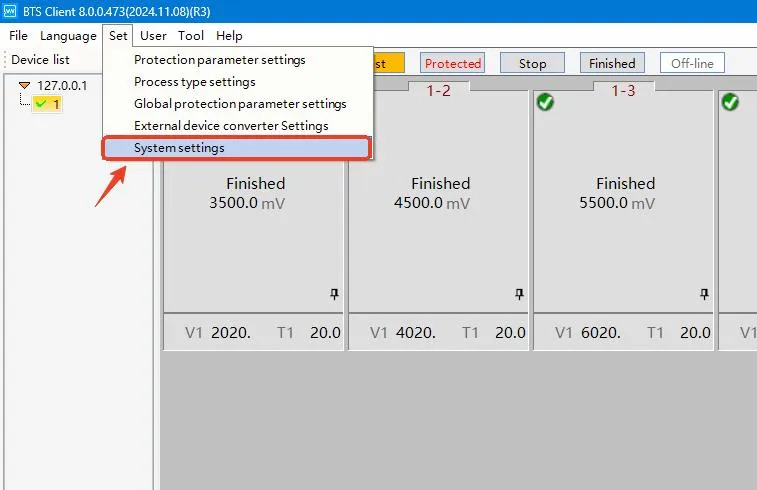
Set/Settings —- System settings
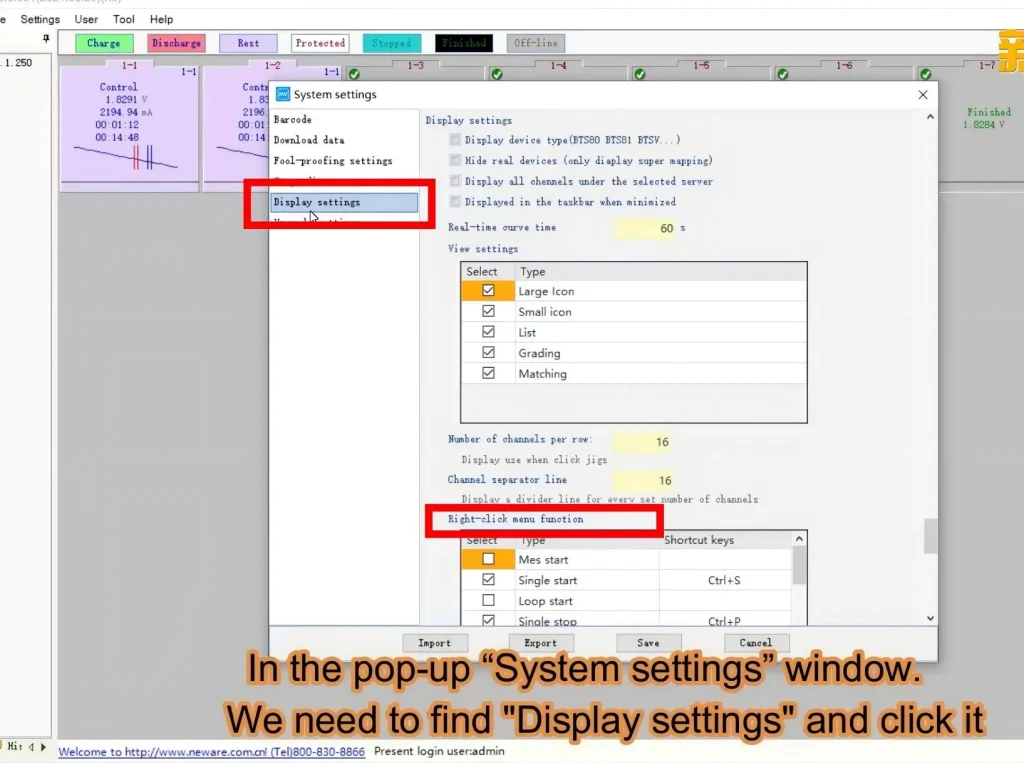
Click Display settings
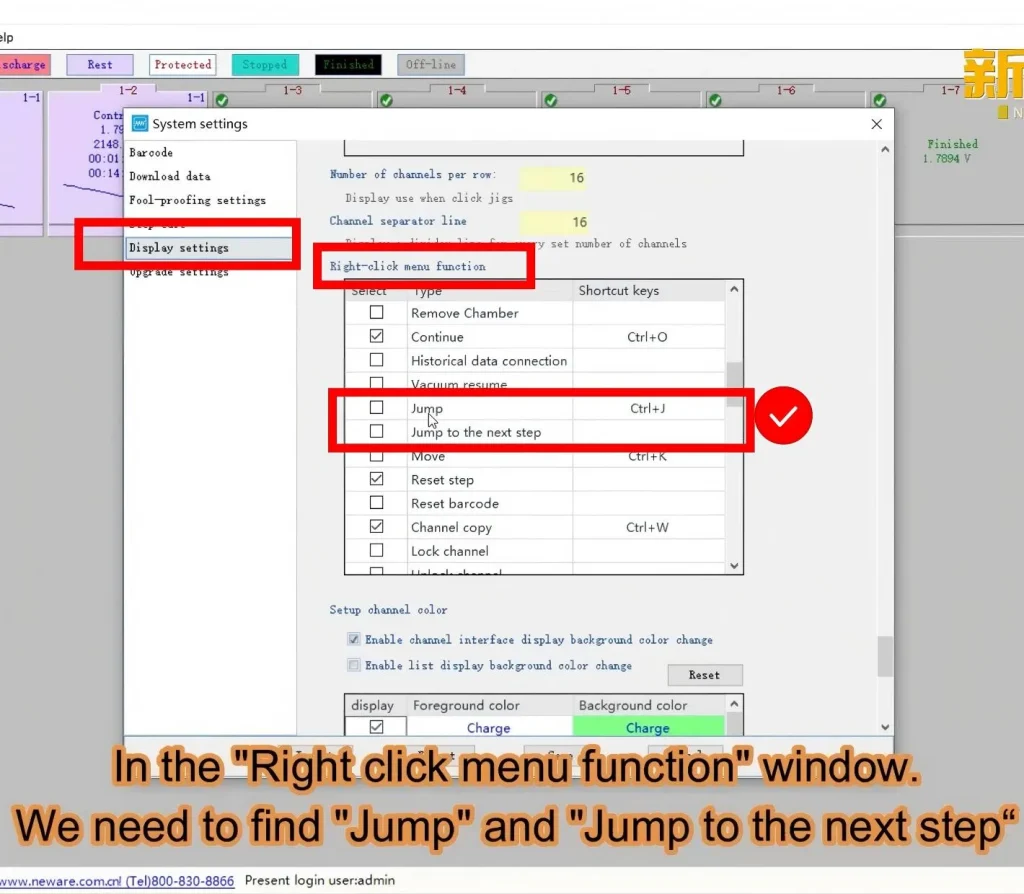
Scroll your mouse to find Right‑click menu function
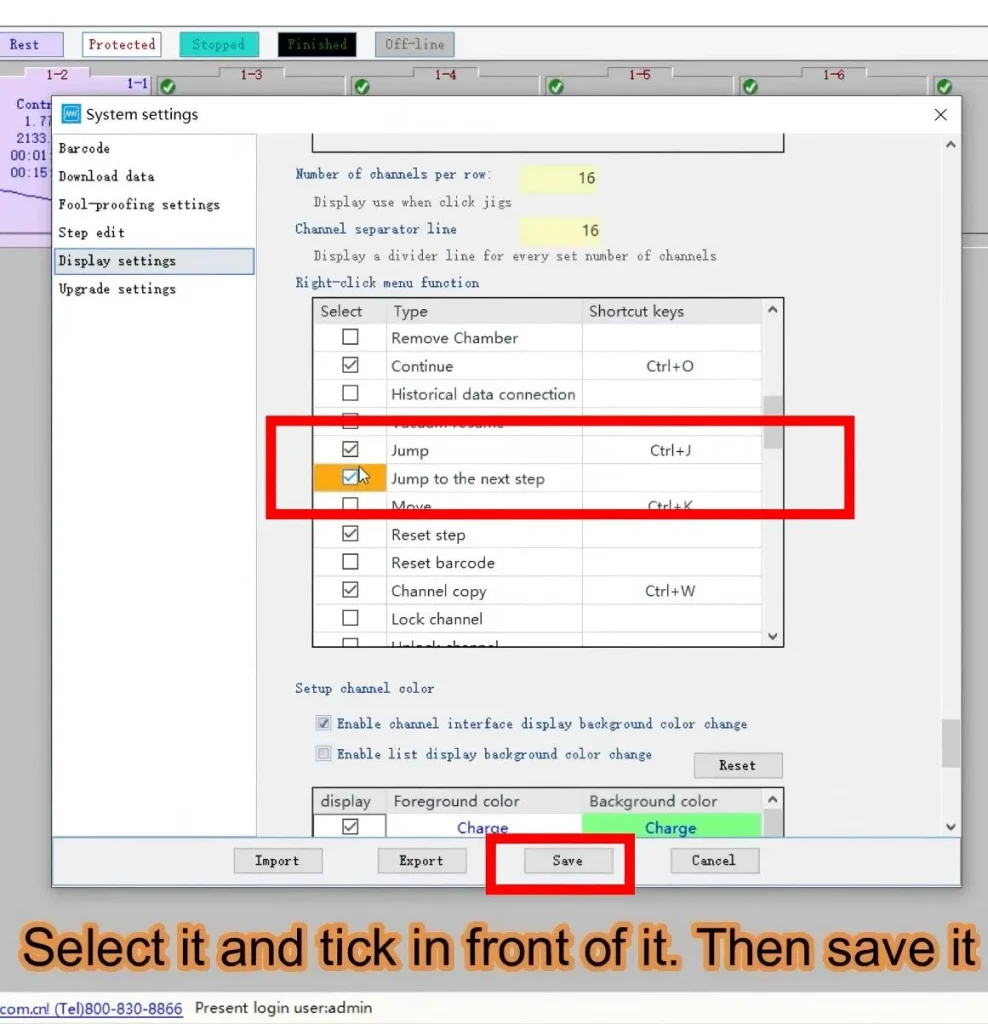
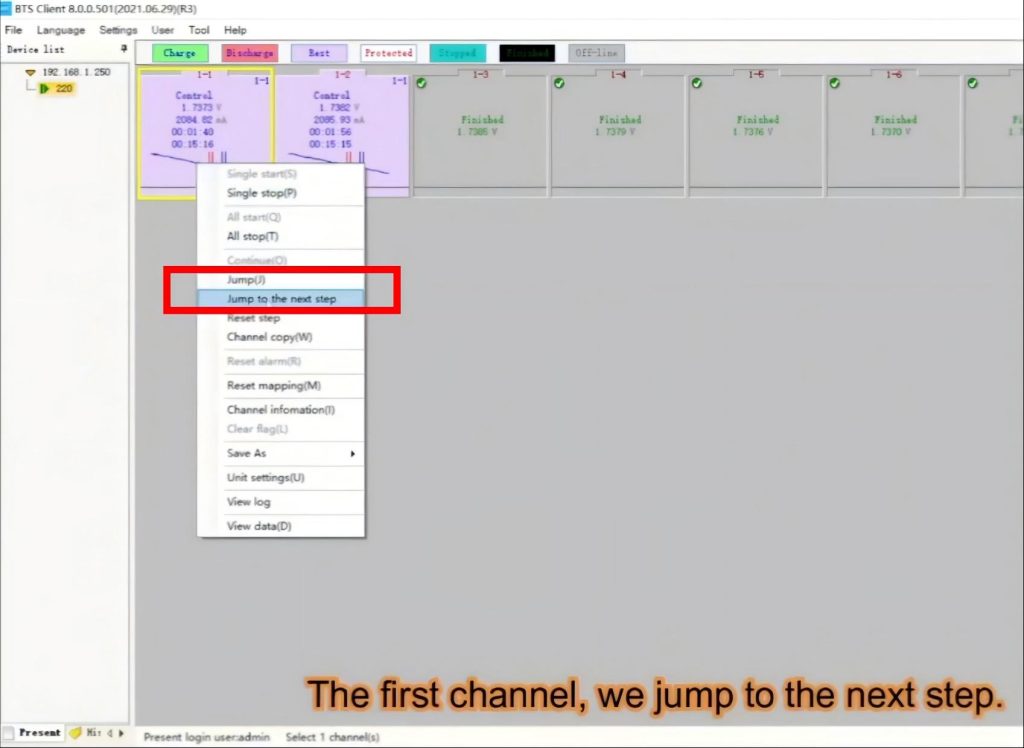
Locate Jump and Jump to the next step, select both options, then save.
Re‑enter the username and password. Username: admin, Password: neware. If you want Neware BTS 8.0 to remember your password and save the trouble of re‑entering credentials every time you log in, please refer to: How to Make Neware BTS 8.0 Remember Your Login Password
Select a channel, right‑click your mouse to open the right‑click menu, and you can use Jump and Jump to the next step.
You may also follow the YouTube video to configure the settings step by step.